 May 28, 2026
 4 min
4 min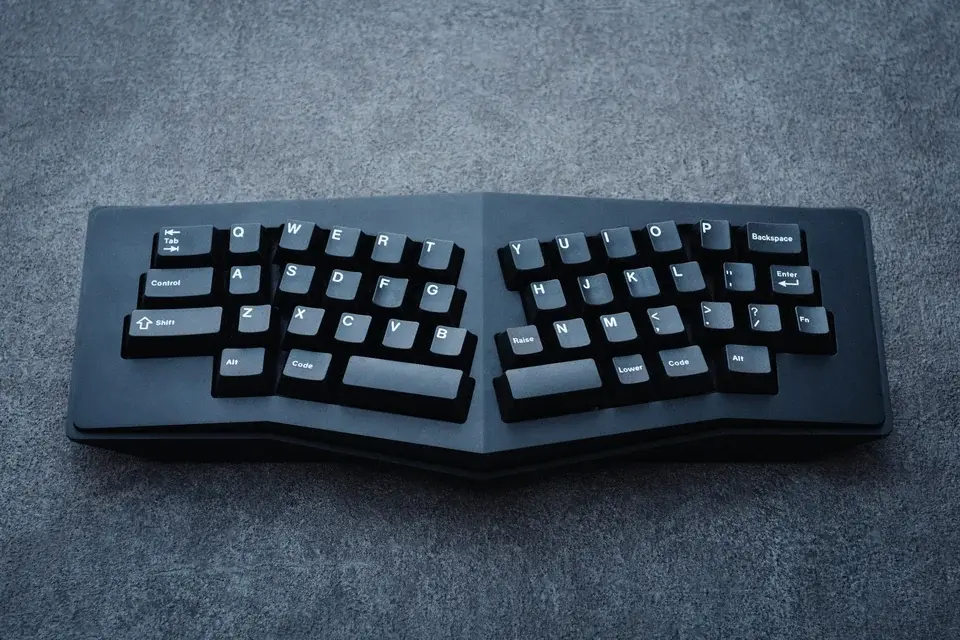
What exactly is an ergonomic split keyboard?
An ergonomic split keyboard is a keyboard divided into two parts, one for each hand. The goal is simple: align your hands with your shoulders to reduce strain on your wrists, forearms, and upper back. On a traditional keyboard, your wrists are often slightly bent outward. With a split keyboard, you open your posture and limit that twist.
This is not a minor issue: in France, musculoskeletal disorders account for 87% of recognized occupational diseases (source: Assurance Maladie / INRS, 2022 data). If you type for several hours a day, your keyboard shape can affect your long-term comfort.
A split keyboard will not automatically increase your typing speed, but it can improve movement consistency and reduce fatigue at the end of the day.
The main types of split keyboards
Not all split keyboards are the same. These are the most common variants:
- Fixed split: both halves are built into a single frame, with a central separation. This is the easiest option to start with.
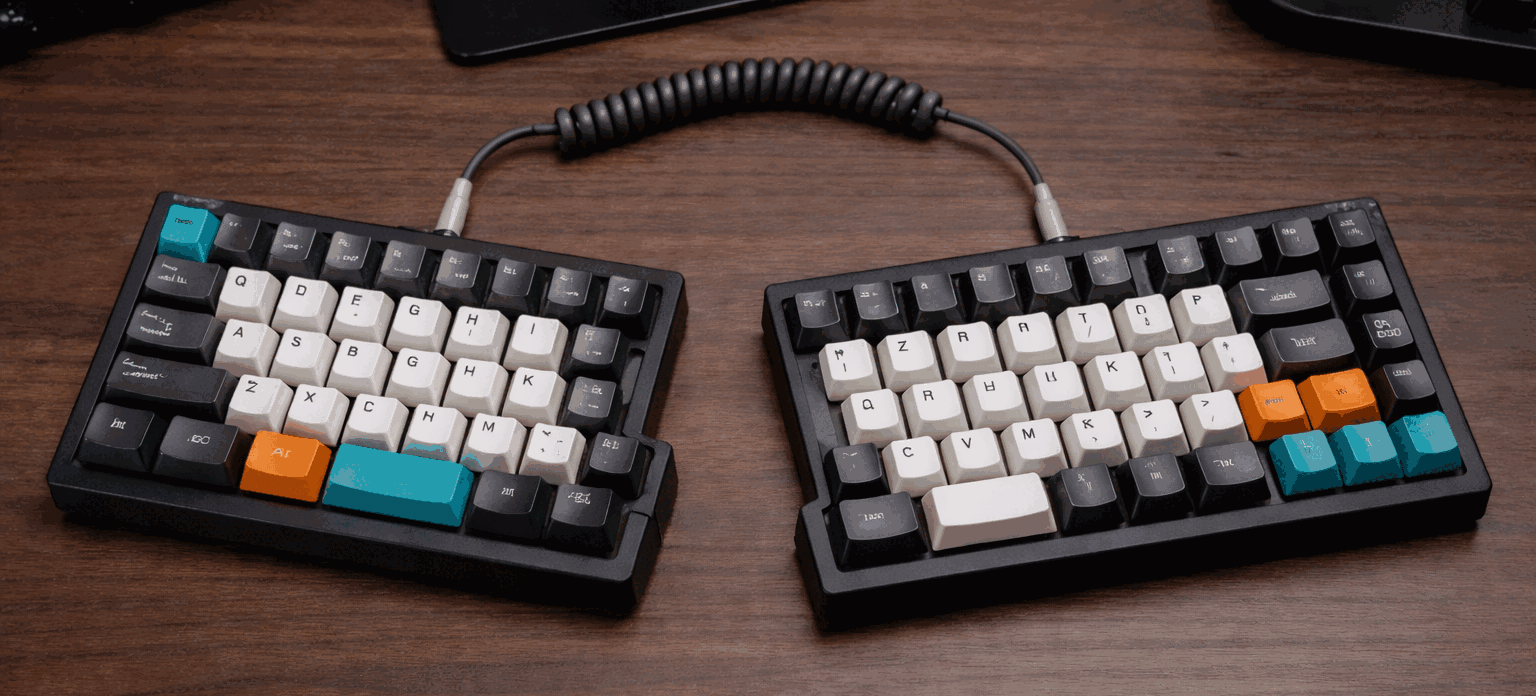
- Modular split: two independent half-keyboards connected by cable or wirelessly. You can adjust the spacing precisely.
- Tented split: the halves are angled inward, like a roof. This reduces forearm pronation.
- Ortholinear split: keys are arranged in columns rather than staggered rows. Finger movement is more vertical and can feel more natural.
- Compact split with layers: fewer physical keys, with more programmable function layers.
If you are unsure where to start, choose a fixed split or a moderate modular split. You will already improve your posture without forcing a drastic change.
What are the real comfort benefits?
The main benefit is reducing awkward postures. In ergonomics, small adjustments repeated across thousands of keystrokes can make a real difference.
Useful benchmarks:
- ISO 9241-410 recommends a keyboard tilt between 0 and 15 degrees to limit wrist extension.
- Standard key spacing is around 19 mm on many full-size keyboards (source: ISO/IEC 9995).
- Adapting to a split keyboard often takes 2 to 6 weeks, depending on your starting level (estimate based on user feedback).
In practice, a well-adjusted split keyboard can give you:
- less shoulder tension,
- a more neutral wrist position,
- better endurance during long sessions,
- steadier typing, especially if you learn proper finger placement.
To turn that comfort into real progress, method still matters: posture, consistency, and accuracy.
How to choose your first split keyboard
Before buying one, ask yourself three questions:
- How many hours do you type each day?
- Do you already have wrist, forearm, or neck pain?
- Are you mainly looking for comfort, customization, or both?
Then take a gradual approach:
- Start with moderate spacing between the two halves.
- Keep your usual layout at first, such as QWERTY.
- Practice your technique for 10 to 15 minutes a day to stabilize your habits.
If you want to improve without getting distracted, start with a simple routine: a few lessons in the typing courses, then a short session with the typing exercises. The key is to track your scores over time so you can adjust your setup based on comfort and accuracy.
A split keyboard is mainly a tool for prevention and long-term comfort. Chosen well, it helps you type longer with less fatigue while keeping steady technical progress.